Here you will find a selection of automation projects and tools. Everything is built for engineering workflows: consistent output, less manual work, fewer errors, and maintainable code.
SolidWorks Add-ins
Evenly distributed points on spherical surfaces

Add-in for automatically generating evenly spaced points on spherical surfaces. It saves time in parametric models and avoids manual rework when designs change.
Exporting 3D data to a CAM machine

Challenge
When a part needs to be manufactured on a machine, the operator repeatedly has to adjust the setup because the CAD export arrives with an incorrect orientation.
Solution
This add-in calculates the correct coordinates and axes from SolidWorks 3D data so the CAM machine can start immediately, without manual positioning.
Outcome
Lead time is significantly reduced and fewer errors occur.
SolidWorks Exporter

Challenge
Exporting specialized file formats is manual and inconsistent, with incorrect naming and files saved to the wrong locations.
Solution
Export tool with enforced naming rules and a fixed folder structure per subcontractor or internal workshop.
Outcome
Major time savings. Work that used to take days is now completed in minutes.
SolidWorks data to ERP

Challenge
Manual data entry into ERP leads to typing errors and inconsistent information.
Solution
SolidWorks already contains key information from the design. For example, we can detect whether a part is sheet metal, how many bends it has, and more. This is stored consistently in properties and exported to ERP via Excel with field validation.
Outcome
Fewer errors because information is captured once in a controlled way, with better traceability and data governance.
ERP information back to SolidWorks

Challenge
Designing without knowing what is in stock leads to rework and avoidable changes.
Solution
ERP data is pushed back to the designer with a clear visual indicator (green) for items that can be used safely. Smart filtering helps identify the right raw materials faster.
Outcome
Safer decisions, fewer changes, and more reliable planning.
Nesting of cut-to-length profiles

Challenge
Estimating how many profiles are required takes time, and you often need that insight already during quoting.
Solution
Automatic grouping and nesting of identical profile types with labels and the same position numbers as on the SolidWorks drawings.
Outcome
After cutting, the assembler immediately knows where each profile belongs in the structure without measuring again.
Qt Framework Configurators

Rooflight configurator with three variants: standard, gable, and pyramid. Drawings and cut lists are generated automatically, including glass surface calculations.

Gable rooflight configurator. Drafting time reduced from two days to a few minutes.

Standard rooflight configurator.

Sliding gate configurator (parameter-driven with automatic drawings).

Swing gate configurator (automated variant generation).

Overview of available options in the sliding gate configurator. By standardizing the drawings, workshop teams get clearer, more familiar output, resulting in fewer interruptions for designers with questions.
Qt Framework Standalones

HMI dashboard with multiple instruments, driven from the vehicle via C++ into QML.

Dark/light switching. With targeted style and color settings the dashboard transitions cleanly between day and night modes.

HMI with custom QML instrument components.

Color tester that makes it easy for customers to select proven color combinations that fit their brand and improve readability.

Font sizes and color combinations can be validated in a realistic environment from the start of the project.

Useful when you want custom components with a smooth and consistent UX.

Pace clock used by swimmers and also useful for HIIT training.
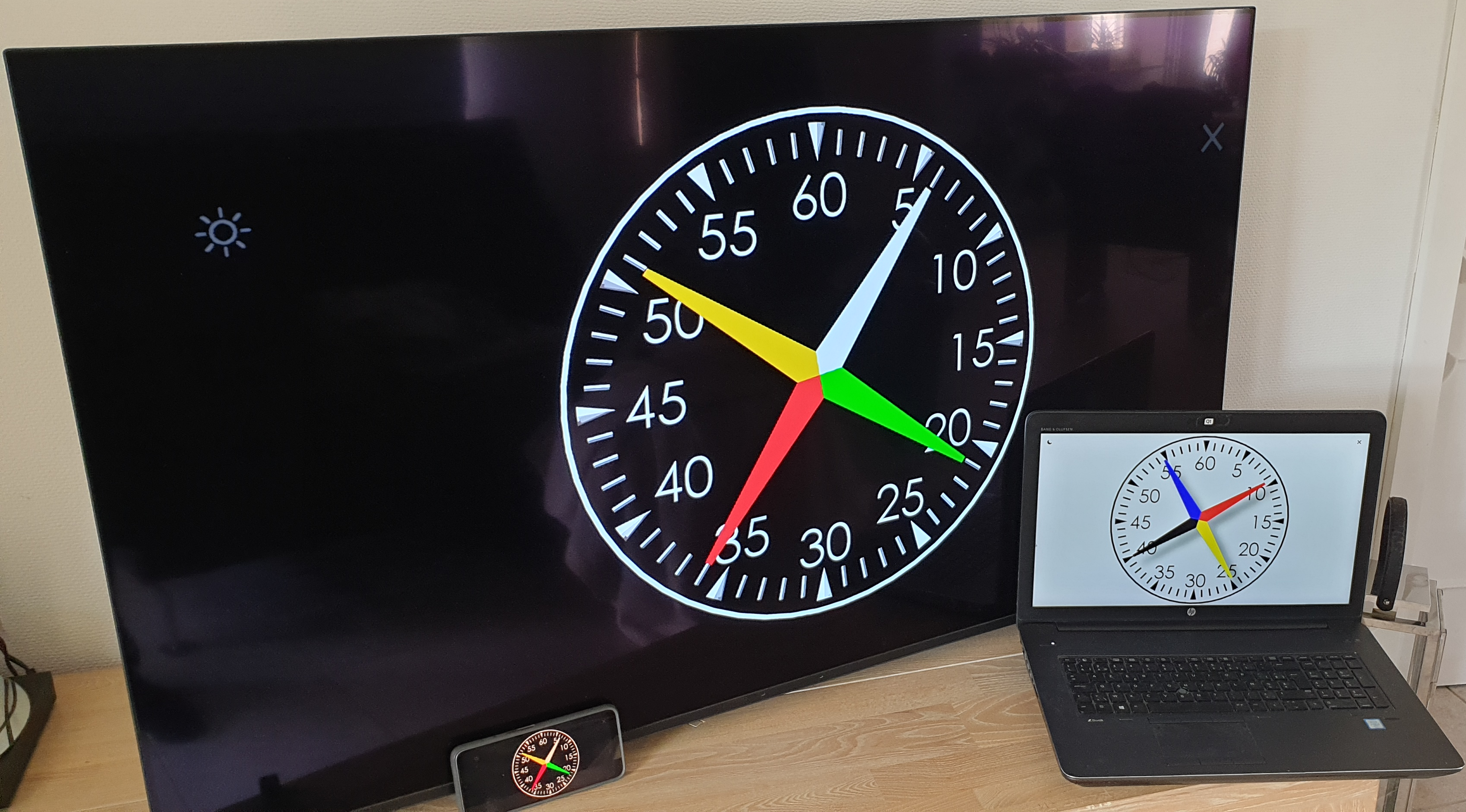
Multi-platform: runs on TV, smartphone (Android, iOS), or PC with a monitor.

PDF tools: sort PDFs by paper size via drag and drop so they are routed to the correct printer tray. Less paper waste due to fewer printing mistakes.
SolidWorks VBA macros
VBA macro: automatically set image quality

Working with large assemblies and SolidWorks performance is slow? This article shows how a VBA macro can automatically apply the right image quality settings. The result is lighter files, faster performance, and less manual tweaking. With Batch+ you can also apply this in bulk to save even more time.
VBA macro: copy surfaces with offset

Do you want to reuse existing surfaces without merging everything or rebuilding features? This article provides a VBA macro that creates a new surface feature from selected faces. You can duplicate surfaces quickly and predictably, keep the model flexible, and avoid manual intermediate steps. You can also apply different colors to the copied surfaces.
VBA macro: automate STEP import

Receiving hundreds of STEP files from a supplier? Tired of creating folders manually and worrying about accidental overwrites? This article shows a practical solution to automate STEP import and organization with Batch+ and a simple macro. You avoid duplicates, prevent overwrites, and build a reusable library efficiently.